Your Personal Concierge
Reach the person at Cirrus who knows your station, straight from the home screen.
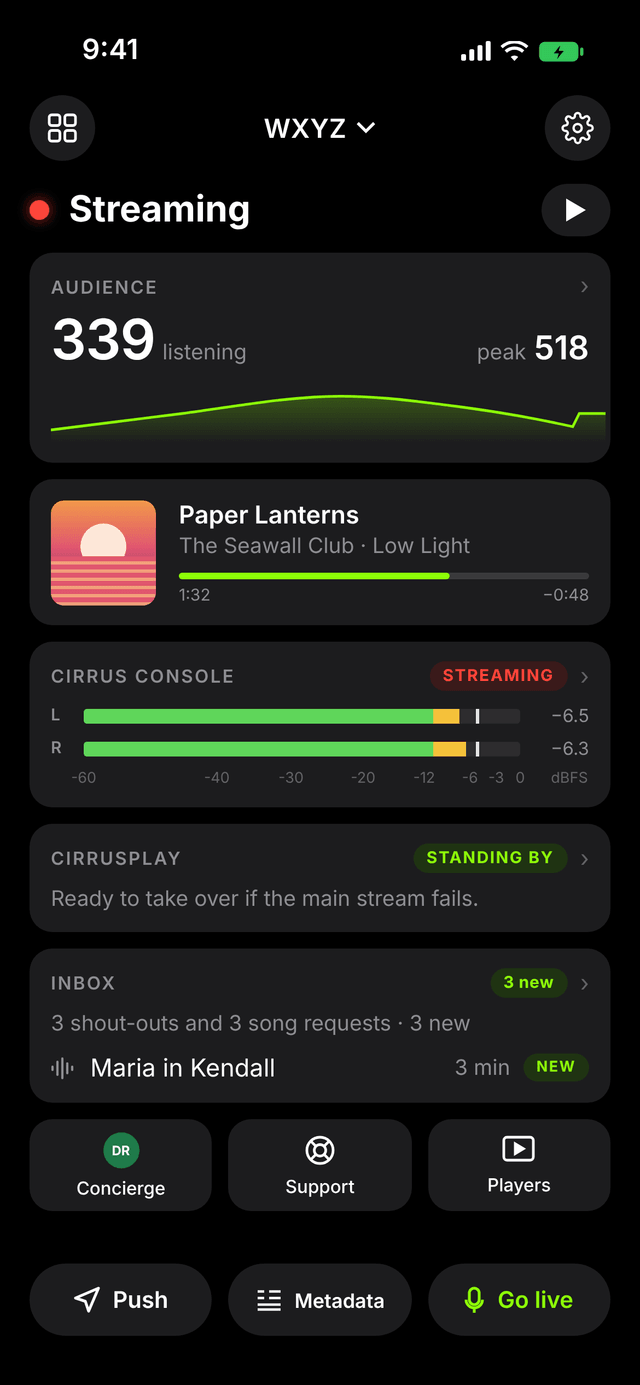
In the studio, at a remote or on the road. See who's listening, follow what's on the air, hear from your listeners and go live from your phone. Cirrus Engager puts your whole Cirrus Streaming station one tap away.
On the air, who's listening and what's playing.
On a map, by device, country and market.
Run your cloud playout.
Talk on the air right from your phone.
Watch your levels and your stream.
Shout-outs and song requests.
At a game, a remote or stuck in traffic, you're one tap from the air. Talk over your automation with the music ducked under your voice, or take the whole stream over from wherever you are.
Pick how far the bed drops when you talk, from a gentle dip to fully muted.
Hold the button for a quick break, or latch it on and keep both hands free.
Auto gain control keeps your level even, whether you're whispering or shouting over a crowd.
A Live Activity on your lock screen shows you're on the air, and takes you off in one tap.
Watch your audience grow during a big show, see where they're tuning in from and how they're listening. It's the story behind your numbers, in your hand.
See your audience cluster around your city, and spot the fans tuning in from far away.
Phones, smart speakers, aggregators and desktops, so you know where to promote your station.
Know which markets love you most. Useful for your shows, and for your advertisers.
Whether you stream from your studio with Cirrus Console, run CirrusPlay cloud playout, or keep CirrusPlay standing by as your backup, Engager keeps you in control from anywhere.
See what CirrusPlay has on the air, what's next and the whole hour ahead.
Control your CirrusPlay cloud playout, and engage or release the backup, from your phone.
See your console's audio levels, start and stop the stream, and switch auto gain control and AI audio processing.
Your listeners want to be part of the show. Engager hands you every shout-out and song request, and lets you reach them right back on their own phones.
Play recorded shout-outs and read requests in one inbox. Mark them or clear them as you go.
Send a message to your listeners' devices everywhere, or just to the countries and places you choose. Send it now or schedule it.
Wrong title on the stream? Correct the now-playing information from wherever you are.
Listen to your own stream, even with the app in the background.
Engager isn't just a remote control. It's your direct line to the people behind your stream, and the easiest way to share your station.
Reach the person at Cirrus who knows your station, straight from the home screen.
Something not right? Open a support ticket from the app without hunting for an email address.
Send anyone your station's apps, players and stream link in seconds. Perfect for on-air promos and social posts.
Run more than one station? Switch between them from the top of the screen.
No passwords to remember. Your Cirrus dashboard gives you everything you need to sign in.
Find Cirrus Engager in your phone's app store.
Open your Cirrus dashboard and use the sign-in code, or just scan the QR code.
That's it. Your station, your listeners and your microphone go wherever you go.
What you see in the app depends on the Cirrus services your station uses. For example, the CirrusPlay screen appears for stations on CirrusPlay.
Already streaming with Cirrus? Download Cirrus Engager and sign in today. New to Cirrus? Tell us about your station and we'll get you set up.
Get Started Today