Streaming Requirements Infographic - Cirrus Streaming
Cirrus Streaming
Before You Go Live

STREAMING REQUIREMENTS

Five things to check. Work down the list and your station is ready to stream on Cirrus.

10 Mbps upload
Windows 10 or 11
Apple Silicon Mac
8 GB RAM
How Your Audio Reaches Your Listeners

Audio Source

Board, automation, or software

Your Computer

Runs the encoder

Cirrus Network

We deliver it at scale

Your Listeners

Players, apps, and cars

Connection

Broadband Internet Connection

Connect the encoding computer to your router with an Ethernet cable. Everything else on this list depends on this one being solid.

10 MBPS UPLOAD 0 25+

Minimum upload to our servers, per station.

Wired Ethernet, cable or fiber Steady throughput, no interference. This is what we recommend.
Wi-Fi, DSL, satellite, cellular Prone to dropouts and latency spikes. Not recommended for live streaming.
Audio Connection

Connect Audio To The Computer

Your audio needs a physical path into the encoding computer, unless your playout software already runs on it.

  • Feed the board or automation PC into the Line In connector on the encoding computer.
  • That end of the cable is usually a 1/8 inch headphone-style jack. Optical inputs work as well if you have them.
  • A USB audio interface is a good upgrade over onboard inputs.
  • No cable needed if your automation software runs on the same computer as your encoder.
MIC LINE IN

A 1/8 inch plug into the blue Line In jack on the encoding computer.
Source

Your Audio Source

Any of these three routes gets sound to the encoder. Pick whichever matches your studio.

From The Board

A feed off your soundboard into the encoding computer.

From Automation

Audio from your automation PC over a cable or virtual cable.

Same Machine

Playout software running on the encoding computer itself.

Hardware

Required Computer Specs

What the encoding computer needs to run around the clock without dropping your stream.

Required Specs

Windows PC

Operating System
Windows 10 or 11 (64-bit)
Windows 7, 8, and 8.1 are no longer supported.
Processor
Modern multi-core Intel or AMD
Memory
8 GB
16 GB to run multiple stations from one computer.
Audio Input
Supported capture device
Onboard line-in, USB interface, or capture card. Multi-station setups need one input per station.
Required Specs

Mac

Hardware
Apple Silicon (M1 or newer)
Operating System
A current version of macOS
Memory
8 GB
16 GB to run multiple stations from one computer.
Audio Input
Supported capture device
Built-in input, USB interface, or capture card. Multi-station setups need one input per station.
Software

Set Up Your Encoder

The encoder carries your audio to our network. Ours is free with your plan.

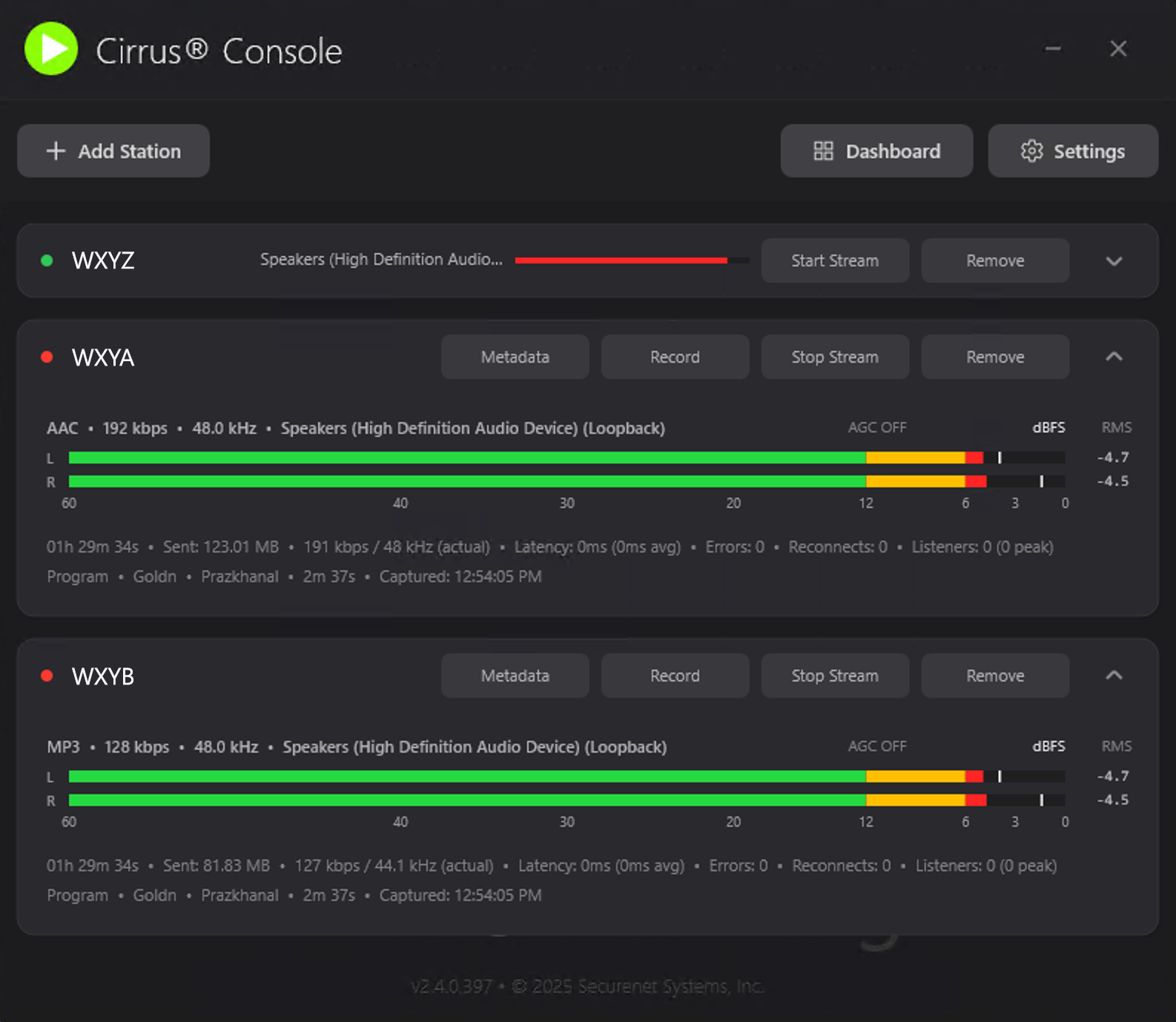
Cirrus® Console

AI-powered audio processing, live VU monitoring, metadata capture, and outbound-only connections that keep your firewall happy.

Free with your plan Windows macOS

Download it from your dashboard and sign in with your station credentials. Console configures your stream automatically, so there is nothing to set up by hand.

c360.cir.st
Cirrus Console showing three stations with live VU meters, stream status, and metadata controls

Console running three stations, with live levels on each.

Stuck on any of the five? Open a ticket from your dashboard or reach out to your personal Concierge. We will walk your setup with you. See also the FAQ in your dashboard.

Open A Ticket